
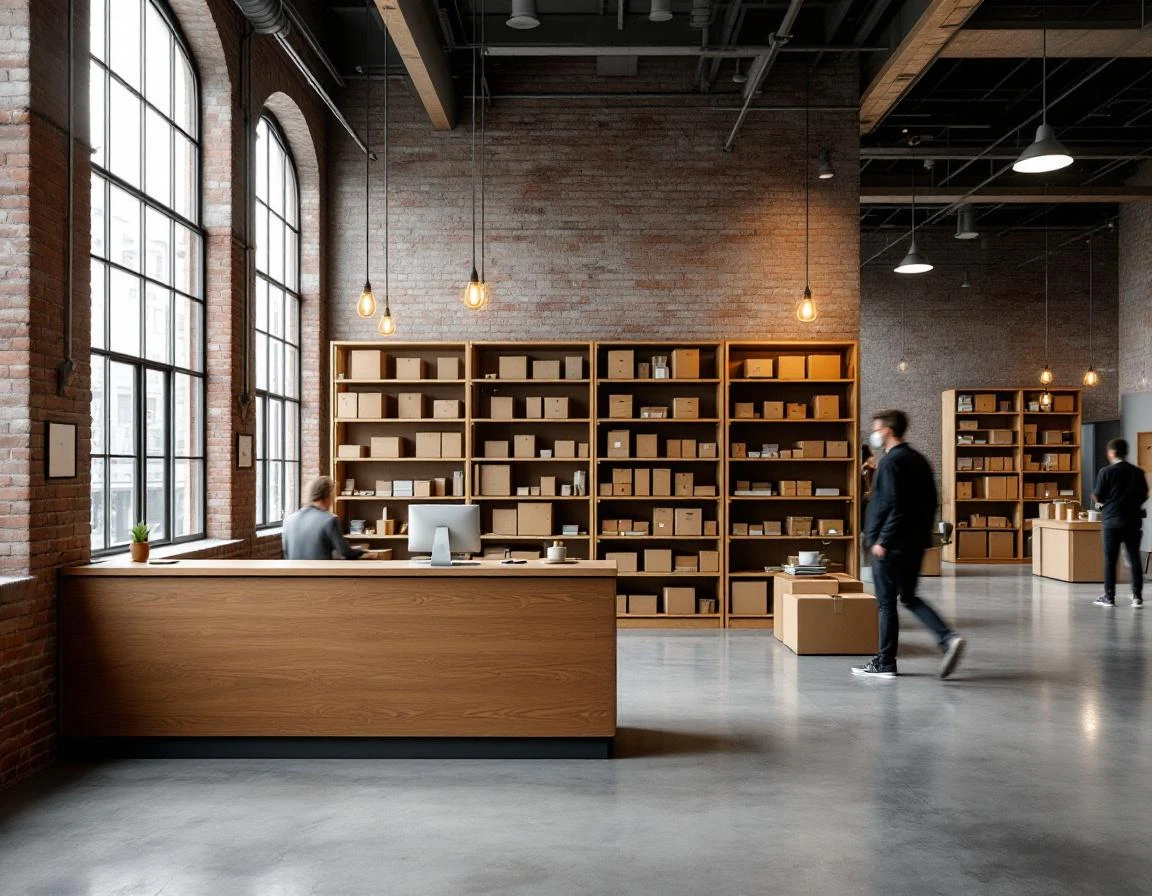
Retail Store Layout Design Impact on Revenue and Operations
Poor store layout costs independent retailers real money every day. Wasted floor space that could display packaging supplies sits unused. Staff sprint between the shipping counter and the print station during lunch rush, creating service delays. Customers picking up packages walk past the notary desk without knowing you offer business services. These aren’t minor inefficiencies — stores combining shipping, printing, and mailbox services leave money on the table when customers fail to discover available add-on services. A strategic retail store layout design solves this problem by organizing spaces to maximize visibility and traffic flow.
The problem isn’t your service mix. It’s visibility and flow. When your shipping counter sits twenty feet from your printing area with no visual connection, a customer mailing a package has no reason to notice your custom banner printing. When mailbox customers enter through a side door that bypasses your retail displays, you’ve hidden your packaging supplies from people who need them most.
Physical layout directly shapes three revenue drivers: how long customers stay in your store, how efficiently your staff handles multiple service requests, and whether customers discover services beyond what brought them in. Intentional zone design — separating high-traffic areas while clustering complementary services — improves per-customer transaction value and reduces the staff overtime that stems from chaotic workflows.
This isn’t about expensive renovations. It’s a framework you can implement with modest fixture changes and strategic product placement. Spring 2026 offers the ideal timeline: complete your layout adjustments by early summer, train your team on the new workflow, and enter Q3 peak shipping season with a store built to convert traffic into revenue.
Five-Zone Store Model for Multi-Service Retail Store Layout
The most productive pack-ship-print stores organize their space around five functional zones, each addressing a specific customer need without creating bottlenecks. This multi-service retail store layout isn’t about square footage—it’s about separating high-traffic areas so your team isn’t tripping over each other during rush periods while keeping related services close enough that customers naturally discover add-ons.
The five functional zones include:
- The intake zone sits at your entrance and handles first impressions: queuing space, promotional signage, and the initial “what can we help you with today?” conversation
- The shipping zone clusters your packing station, carrier rate comparison tools, and payment terminal
- Your printing zone groups production equipment, order intake, proof review, and finishing services in one dedicated area
- The fulfillment zone houses packaging materials, mailbox sorting cubbies, and local pickup shelves
- Finally, the upsell zone sits between high-traffic areas and displays impulse items, premium service signage, and bundled offerings
Zone separation prevents staff collision—your employee packing a fragile shipment isn’t fighting for counter space with someone running a print job. But strategic clustering matters just as much. Position your printing zone adjacent to shipping so customers ordering business cards can easily add shipping envelopes. Place your upsell zone where customers naturally pause: between the entrance and service counters, or along the path from shipping to the exit.
Most stores make this work in 800 to 1,200 square feet by using a U-shaped or L-shaped counter layout. Shipping occupies one arm of the counter, printing takes the perpendicular section, and intake handles the front corner. Fulfillment materials line the back wall. Upsell displays fill transitional spaces—endcaps, counter edges, and the wall customers face while waiting. This setup guides customers past multiple revenue opportunities without feeling like a maze, and keeps your team working in dedicated zones rather than constantly repositioning.
Zone Sizing by Service Mix
Right-sizing each zone starts with a revenue audit. Pull your last six months of transaction data and break it down by service line: shipping, printing, mailbox rentals, and other services. The revenue split tells you where your floor space should go. A UPS Store generating 60% of revenue from shipping typically allocates 45% of floor space to intake counters, queue areas, and packing stations. The remaining space divides between printing equipment, mailbox access, and small product displays.
A hybrid print-and-ship store with balanced revenue streams needs different proportions. When printing functions as a primary revenue driver, allocate your floor space to production equipment and order intake, with shipping stations occupying the next tier, and the remainder supporting fulfillment staging and upsell displays. The formula connects peak transaction volume to square footage: multiply your busiest hour’s average customer count by the space each active transaction requires to determine front-counter needs. Add production space based on equipment footprint plus adequate circulation clearance for workflow and safety.
For a 1,000-square-foot store handling 12 simultaneous peak transactions, allocate 300–360 square feet to customer-facing counters and queue zones. Production equipment in a print-forward operation might claim another 350 square feet. The remaining space handles fulfillment staging, retail displays, and staff movement. This framework for small business retail space planning scales for stores between 500 and 2,000 square feet by adjusting transaction capacity while maintaining service-mix ratios. Zone sizing connects directly to staff positioning—larger shipping zones require dedicated packing staff during peak hours, while compact printing areas allow one operator to manage multiple machines.

Customer Process and Pathways
Most pack-and-ship stores lose customers to linear traffic patterns that guide shoppers straight from entry to service counter to exit, bypassing printing samples, premium packaging, and mailbox rental displays entirely. Redesigning the customer pathway from a straight line into a deliberate loop exposes each visitor to multiple service offerings without creating visible barriers or making the space feel cluttered. Smart retail store layout for customer experience means intentionally guiding visitors through service zones.
The ideal process starts with entry flow directing customers to a dedicated intake area before they reach service counters. This prevents queue backup during peak hours and gives staff time to assess each customer’s needs before routing them to shipping, printing, or pickup. From intake, the pathway should curve past printing samples displayed at eye level and premium packaging options clustered within arm’s reach of the shipping counter. This routing increases exposure to add-on services by positioning them directly in the customer’s sightline as they move toward their primary transaction.
Clear sightlines matter as much as physical routing. When customers entering the store can see all service counters from the intake area, they feel confident about where to go next and rarely abandon transactions due to confusion. Dead zones and hidden corners reduce visibility of notary services, mailbox rentals, and gift wrapping stations, turning potential revenue into overlooked space.
Implementation examples:
- Position printing samples on a rotating display stand between intake and checkout
- Cluster gift wrapping supplies and premium boxes near the exit to catch customers after their primary transaction
- Place mailbox rental signage on the wall behind the shipping counter where every customer waiting in line will read it during downtime

Implementation Timeline and Quick Wins
Spring 2026 offers ideal timing for independent retailers to implement zone redesign before peak shipping season arrives in July. A phased six-week approach allows stores to improve layout without closing or disrupting daily operations.
Phase 1 (May–early June) focuses on visual auditing. Walk your store during peak hours and note where staff members collide while serving customers. Identify service areas that customers overlook because sightlines are blocked. Measure current zone square footage using the allocation formulas from the previous section. Mark spots where mobile shelving could shift two feet to open pathways or where a counter repositioned slightly would improve workflow.
Phase 2 (mid-June) implements no-cost and low-cost changes. Add floor decals or painted lines to clarify zone boundaries. Reposition existing fixtures to create the loop pathway described earlier. Install directional signage pointing customers toward printing samples and premium packaging displays. These changes typically increase exposure to add-on offerings measurably with minimal investment.
Phase 3 (late June–early July) evaluates early metrics from Phase 2 adjustments and plans permanent fixture additions—new packing counters, zone-specific shelving, or branded signage—timed for installation before July’s shipping volume peaks.
Measuring Success and ROI
Data-driven measurement determines whether your layout investment delivers revenue growth. Before making any changes, establish baseline metrics: current average transaction value, typical queue wait time during peak hours, percentage of customers who purchase from two or more service lines, and weekly staff overtime hours. Record these numbers over a two-week period to account for normal fluctuation.
Four to six weeks after completing Phase 2 implementation, measure the same metrics using the same methodology. Track per-customer transaction value and attachment rate—the percentage of customers who add services beyond their primary reason for visiting. These two numbers directly reflect whether your retail store layout design improvements expose customers to complementary offerings.
Layout changes can increase your average transaction value across daily operations, allowing your store to generate additional revenue. Over the course of a year, this uplift compounds across your existing customer base and retail footprint, creating measurable gains in annual revenue without requiring expanded square footage or customer acquisition.
ParcelPuffin’s POS integration tracks service-line profitability in real time, allowing you to correlate layout changes with revenue shifts by category. Monitor which zones generate the highest margins and adjust product placement accordingly. This measurement framework justifies capital investment in permanent fixtures and informs future renovation decisions with concrete financial evidence.