POS System Pack and Ship Stores: Feature Comparison Guide

The Operational Silo Problem

Walk into most pack-and-ship stores during the late May through June surge, and you’ll see the same pattern: employees toggling between three or four different software programs to complete a single customer transaction. One system rings up the retail sale. Another generates the shipping label. A third handles the print job. Each requires its own login, its own data entry, and its own reconciliation at end-of-day.

This fragmentation costs multi-service stores 3-5 hours weekly in manual data entry and context switching. Staff members re-enter customer addresses from the POS into the carrier platform, then manually adjust inventory counts because the retail module doesn’t communicate with the shipping module. When summer peak season hits and transaction volume doubles, these inefficiencies compound.

The real damage shows up in inventory discrepancies. Stock levels that don’t sync across retail and shipping modules lead to overselling—a customer orders boxes that the system shows in stock, but the retail counter sold the last case an hour ago. Staff errors multiply when employees manually input the same shipping data three separate times, increasing the risk of wrong addresses, incorrect postage, and failed deliveries.

A POS system with integrated shipping and inventory management eliminates these handoffs. When retail transactions, shipping labels, and inventory updates happen in one platform, data flows automatically between functions, reducing both time waste and error rates.

An integrated POS system for pack-and-ship operations removes the need for separate software subscriptions.

12 Critical POS Features Checklist for Pack-and-Ship Stores

Not all POS systems understand the unique demands of pack-and-ship operations. A retail POS built for apparel stores or coffee shops won’t handle shipping label generation, carrier rate lookups, or split inventory tracking without forcing you into separate software subscriptions. Use this 12-feature checklist to evaluate whether a platform truly supports your multi-service model.

Shipping Capabilities

  • Carrier integration means accessing USPS, UPS, and FedEx rate comparisons and generating shipping labels directly from the POS interface. Without this, staff must log into separate carrier portals, re-enter customer addresses, and print labels manually—turning a two-minute transaction into a five-minute ordeal.
  • Return label automation lets you create prepaid return labels at the counter without opening a browser or second application.
  • Carrier account management stores your negotiated rates and credentials so every transaction pulls accurate pricing without manual updates.

Printing Infrastructure

  • Thermal printer compatibility allows on-demand label and receipt printing without waiting for laser printers to warm up or wasting full sheets on a single label. Missing this feature means manually cutting 8.5×11 sheets or doubling handling time with two-step printing processes.
  • Multi-format support handles 4×6 shipping labels, receipts, packing slips, and custom print job output from a unified queue.

Inventory and Service Management

  • Split inventory tracking separates retail products from mailbox supplies and shipping materials, preventing stock-outs when your packing tape inventory gets depleted during a rush.
  • Service-based SKUs allow pricing for notary services, mailbox rentals, and custom print jobs alongside physical goods.
  • Multi-service billing combines shipping charges, print fees, and retail purchases on one receipt.

Payment and Reporting

  • Integrated payment processing eliminates the need to key transaction totals into a separate terminal.
  • Dimensional weight calculation applies carrier rules automatically rather than relying on staff memory.
  • Custom reporting breaks down revenue by service type—showing which offerings drive profitability and which underperform.

Top Platform Comparison Matrix

Choosing the right POS system for a pack-and-ship store comes down to how well the platform handles the feature checklist from the previous section. Three platforms stand out in this market: ParcelPuffin, Square for Retail, and Clover. Each takes a different approach to shipping integration, printing workflows, and multi-service billing.

ParcelPuffin was built specifically for pack-and-ship operations. The platform includes native multi-carrier rate comparison across USPS, UPS, and FedEx within the same transaction screen. Thermal label printing connects directly to Zebra and Dymo printers without third-party middleware. Real-time inventory sync tracks shipping supplies, retail products, and print materials in one system. The base software runs $89 monthly with no per-transaction fees beyond standard payment processing rates. A compatible thermal printer adds $200-400 upfront. Implementation typically takes one to two days, and the system includes built-in support for mailbox rentals, notary services, and custom print job pricing. For a store processing 150 weekly transactions, the total cost of ownership over 12 months runs approximately $1,600 in software plus payment processing fees.

Square for Retail offers broad retail functionality but requires third-party add-ons for shipping label generation. The base POS software is free, but connecting to carrier APIs means subscribing to apps like ShipStation or Pirate Ship, which add $25-100 monthly depending on volume. Thermal printers work through additional drivers. Multi-carrier rate comparison happens in a separate browser tab rather than within the POS transaction. Total cost of ownership reaches $1,800-2,200 annually once you account for add-on subscriptions, and staff spend extra time switching between platforms during busy periods.

Clover provides strong payment processing and receipt printing but lacks built-in shipping workflows entirely. Store owners typically run Clover for retail transactions and a separate platform like Stamps.com for shipping labels. This creates the exact operational silos the previous section identified as the source of manual data entry waste. Monthly costs start at $60 for software plus $15-50 for shipping apps, and thermal printers require custom integration work.

ParcelPuffin excels in high-volume shipping environments where staff need instant access to rate comparisons and label printing without leaving the transaction screen. Square works better for stores with light shipping volume and heavy retail focus. Clover fits traditional retail but forces pack-and-ship operators to maintain separate systems. The feature set ParcelPuffin offers aligns directly with the 12-point checklist, eliminating the software stacking that creates workflow friction.

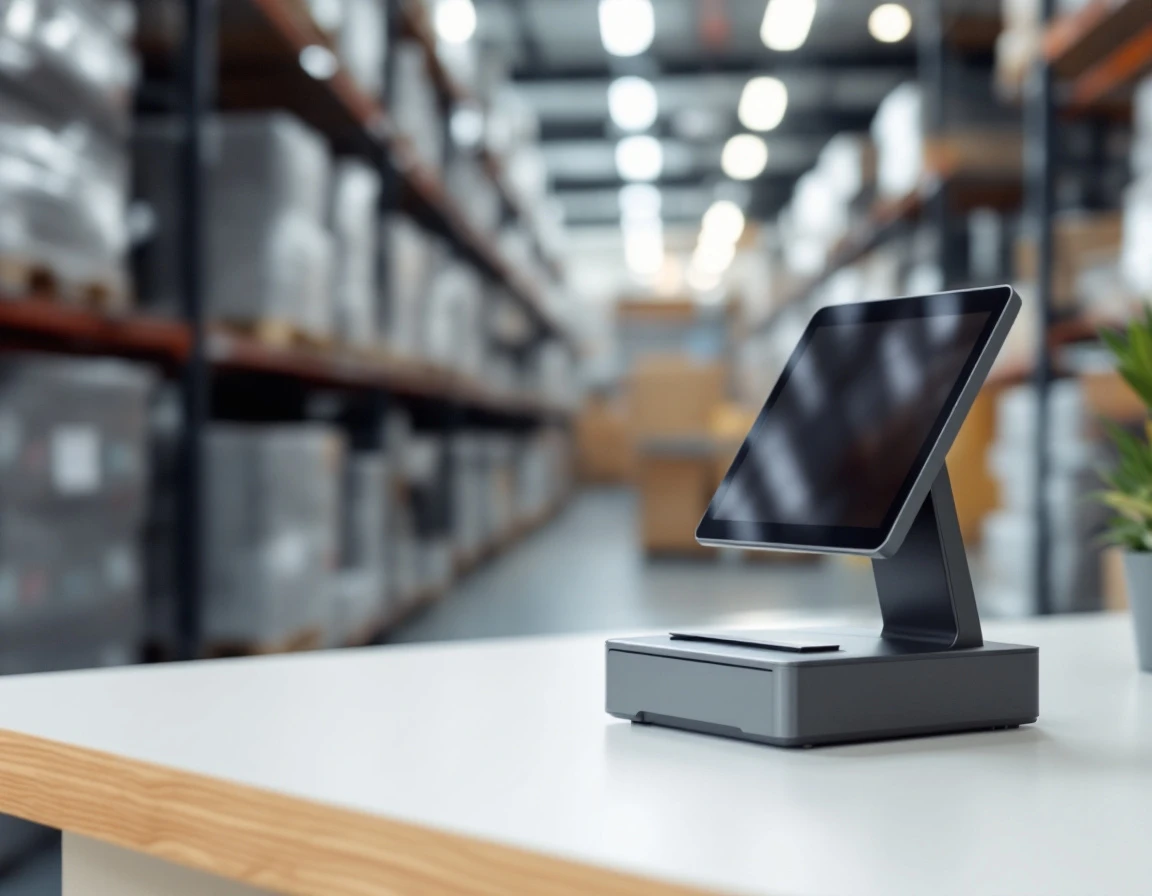
POS touchscreen tablet with shipping equipment on wooden desk in pack-and-ship retail workspace
Modern POS systems integrate shipping, label printing, and retail transactions into a single workspace for multi-service operations.

Shipping and Inventory Synchronization

When a customer walks up to the counter with a package to ship and asks to buy three bubble mailers from the retail display, an integrated shipping printing POS system handles both transactions as a single, unified event. The moment your staff prints the shipping label through the carrier-connected thermal printer, the system automatically deducts the bubble mailers from inventory, applies the shipping charge plus the retail item cost to the transaction, and creates a record for later carrier reconciliation with USPS, UPS, or FedEx.

Manual workflows break down at this boundary. Without integration, staff must print the label in one system, then remember to ring up the bubble mailers separately in the POS, then manually record the shipping transaction for end-of-day carrier settlements. Each step introduces opportunities for errors: forgotten inventory deductions that lead to overselling through your web store, duplicate entries during busy periods, or billing discrepancies when reconciling carrier invoices.

Picture a Saturday morning rush with fifteen shipping transactions in two hours. A customer needs overnight delivery to Denver, another wants ground service for a 40-pound box, and three more are waiting with international packages requiring customs forms. An integrated system pulls live carrier rates at checkout so your staff quotes accurate costs every time, prints labels without switching software, and updates inventory counts for any supplies sold alongside shipping services. Multi-location sync matters too: if you expand to a second branch, stock levels stay consistent across both stores, preventing situations where one location shows bubble mailers in stock while the other sold out hours ago.

Thermal Printing and Return Label Automation

Thermal printers eliminate the recurring cost of inkjet cartridges while producing smudge-proof labels that survive carrier handling. Over 12 months, a thermal printer costs $200-300 upfront with near-zero ongoing expense, while an inkjet printer burns through $400-600 in cartridges for the same label volume. That difference matters when you’re printing 50-100 labels daily.

Return label automation becomes critical during May’s peak season, when Mother’s Day returns and early summer shipping converge. A POS system with carrier integration lets staff generate return labels on demand—the customer initiates the return, the system pulls the original tracking number, prints the label, deducts the return fee, and logs the transaction without manual entry. This prevents the tracking errors that occur when staff type label data into separate carrier portals under time pressure.

Batch printing capabilities matter for high-volume days. Instead of sending labels to the printer one at a time, staff can queue 20-30 end-of-day labels and print them as a single run. This works identically for USPS, UPS, and FedEx operations—the POS formats each label correctly for its carrier without requiring different workflows.

Payment Processing and Margin Analysis

One of the hidden costs of running disconnected systems shows up at the end of every business day. When your retail register, card terminal, and digital payment apps run separately from your shipping platform, closing out the till requires staff to manually match transactions across three or four different systems. During peak shipping periods, when you’re processing 30 or 40 more transactions per day than usual, this reconciliation process can stretch from fifteen minutes to over half an hour each night.

An integrated POS with unified payment processing records every transaction — retail purchases, shipping labels, print jobs, and mailbox renewals — in a single system. Your team swipes, taps, or scans once, and the payment flows through the same processor whether the customer is buying bubble mailers or shipping a UPS package. At close, you pull one end-of-day report instead of cross-referencing multiple statements. That time savings alone adds up to two to three hours per week during busy periods.

The deeper financial benefit comes from margin visibility by service category. When your POS tracks revenue and costs separately for retail products, carrier shipping, printing services, and mailbox rentals, you can see which parts of your business actually generate profit. UPS shipping might bring in high transaction volume, but retail packaging supplies often carry better margins. Print jobs have different labor costs than shipping labels. This breakdown helps you decide where to focus staff training, which services to promote, and whether certain offerings justify the counter space they occupy. Multi-tender support — accepting cash, cards, and digital wallets through one interface — reduces training complexity and cuts down on cashier errors when newer staff members handle rush periods.

Implementation and Next Steps

Moving from evaluation to implementation starts with the 12-feature checklist you’ve reviewed in this guide. Use it to request demos from 2-3 platforms that align with your current service mix and transaction volume. Most pack-and-ship stores processing 50-300 weekly transactions should schedule demos before May to avoid implementing new systems during the summer shipping surge, when operational disruptions can cost you customers.

Before signing any contract, test thermal printer compatibility with your existing shipping label suppliers. Not all POS platforms support the same label formats, and discovering compatibility issues after purchase creates costly delays. Request sample labels from each vendor and run them through your current hardware setup during the demo process.

Plan for a 2-4 week implementation timeline that covers hardware installation, staff training, carrier account setup, and integration testing. While switching systems requires upfront investment in training and configuration, stores typically recover those costs through time savings within the first 3-6 months. The 3-5 hours you’ll save each week on manual data entry and system switching add up quickly when you’re paying staff hourly wages.

Ready to see how ParcelPuffin handles shipping, printing, and retail operations in one system? Schedule a demo to see it in action and test it with your actual workflow before making a decision.